Printable Crossword Maker with Answer Key
Download two files for the same grid: Export PDF is the student sheet (blank grid and clues). Answer key PDF is the filled grid. On the free plan only the student file gets a vocabclues.com footer. Build grid does not use AI.
Build, then export PDF
Program builds the grid. AI only suggests words and clues when enabled.
Manual Words + clues — layout never spends AI credits. Browse printable examples · Compare makers
8 of 8 words valid
Add answers and clues, then Build grid. Switch to Topic (AI) anytime.
Build a grid first — numbered clues appear here and stay linked to Entries.
Local drafts autosave in this browser. Sign in to save/load cloud puzzles across devices.
See a finished worksheet before you build one
This is page 1 of each PDF for the Water Cycle example, exactly as the generator draws it: a Name and Date line, the grid, and every clue on the student sheet; the same grid filled in on the answer key, with no name line and no footer.
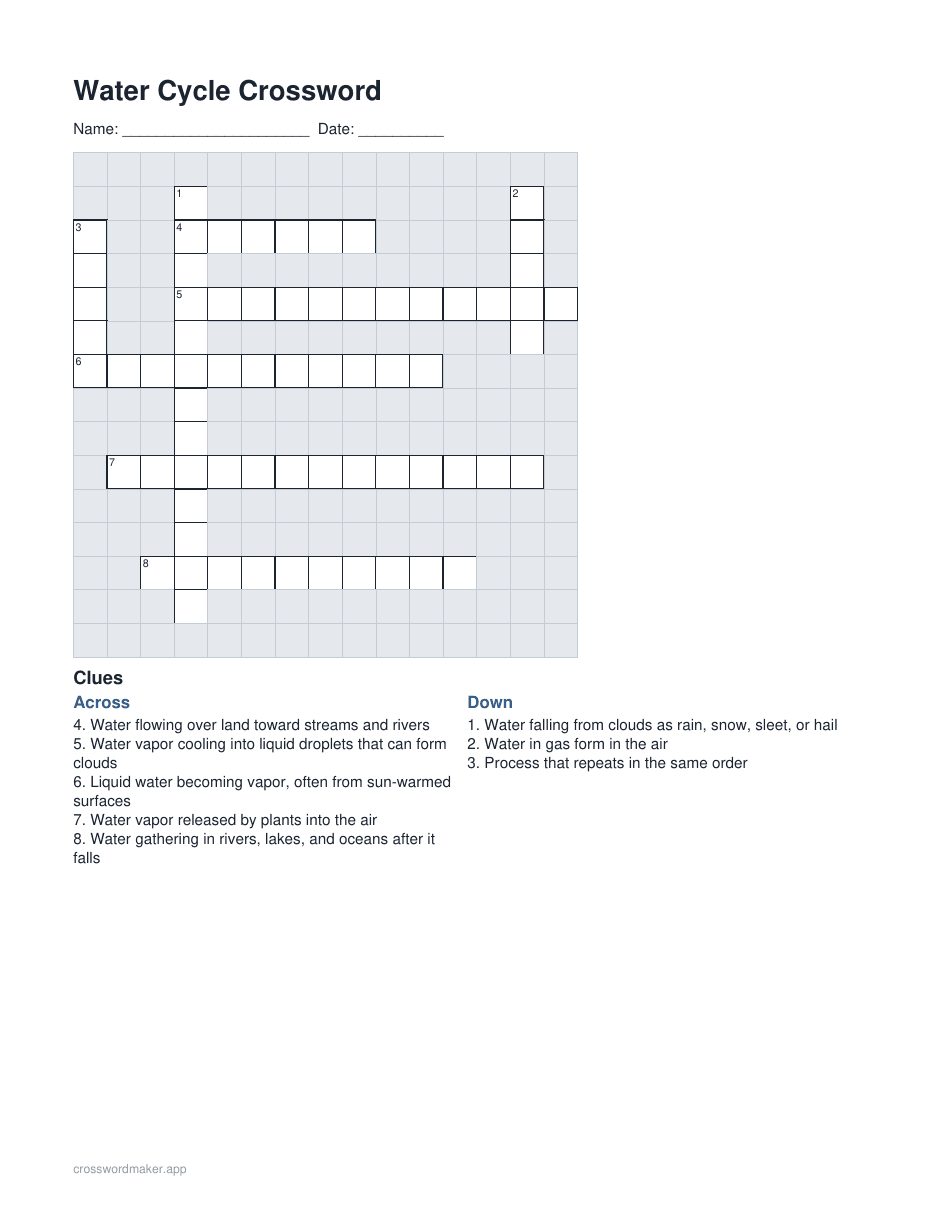
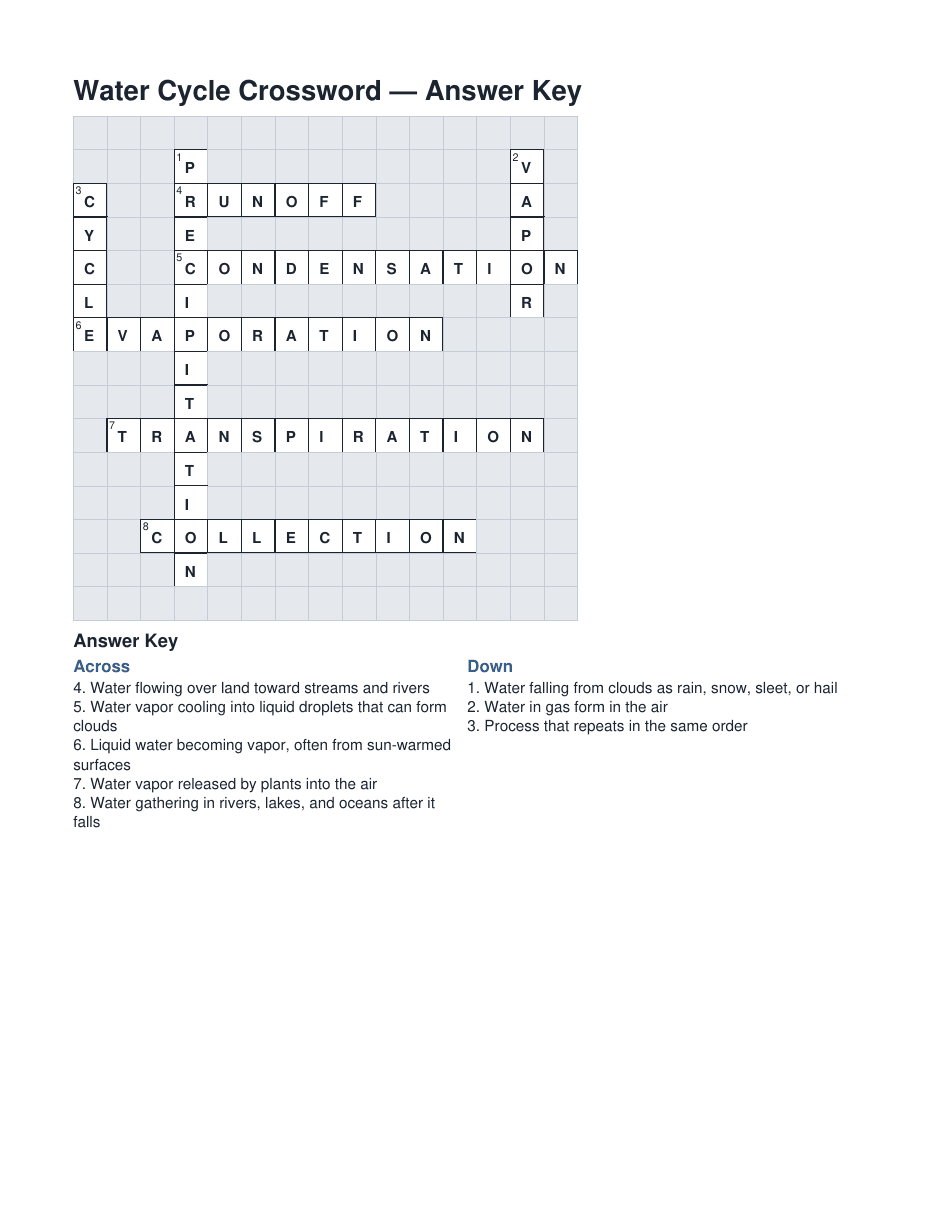
- US Letter (8.5 × 11 in) is the North American default. A4 (210 × 297 mm) is slightly narrower and taller. Each PDF is laid out for its own paper, so pick the one that matches your printer tray and print at 100%.
- Clues print at 10 pt with clue numbers in every starting square — readable for elementary classes.
- Grey squares are unused cells. Students write only in the white squares.
Print in this order
- Build grid. Pick Paper size (US Letter or A4) and a Name line if you want blanks on the student sheet.
- Export PDF. Students get the blank grid and clues. Free downloads include the site footer.
- Answer key PDF. Same layout, answers filled in, no name blanks, and no footer watermark.
On an example page, Download student PDF and Download answer key are the direct path to the same two files (US Letter). Print puzzle opens your browser print dialog instead; the “Include the teacher answer key” checkbox decides whether the filled grid prints as a second page. Already have the words? Paste them on the word-list maker.
Classroom print checklist
The steps above are the whole print path. The how-to shows the same two files with a worked classroom note.
How to print worksheets with answer keys Browse printable examples
An easier sheet and a quiz from the same grid
Two hint settings change only the student PDF. The grid, the clue numbers, and the answer key stay exactly the same, so a class working at different levels can still check answers together.
- Word bank lists every answer on the grid, A to Z, between the grid and the clues.
- Show first letters prints the first letter of each answer in its starting square, in light grey.
- Neither is the quiz version: the blank grid and the clues only.
A common pattern is a practice sheet with the word bank on Tuesday and the same grid as a quiz on Friday. For different grids from one word list, an Activity Pack builds A, B, and C layouts, each with its own answer key.
Before you press Print
- Print the PDF at actual size (100% or "Actual size" in the print dialog). "Fit to page" shrinks the squares and the clue text.
- Match the paper size in the export panel to the paper in your printer. Letter and A4 are close but not the same, and the margins are set for the size you pick.
- A long clue list continues on a second page under the same title, so check the page count before you copy a class set.
- Keep the answer key file in a teacher folder. It has no name line and, on the free plan, no site footer, so it is easy to tell apart from the student copy.
Print settings available
- US Letter and A4 — choose Paper size in the export panel (separate from Name line)
- Name line presets: Name+Date, Name+Class+Date, Name+Period+Date, or none
- Student sheet without embedded answers
- Word bank and Show first letters for an easier student sheet
- Answer key as a separate download
Need inspiration? Examples · How to make a crossword · ESL generator.
FAQ
Does the student PDF include answers?
No. Download two files: Export PDF is the student sheet (blank grid + clues, no answers). Answer key PDF is a matching filled grid. They are separate downloads, not one dual-page file. Example pages offer the same two downloads directly; their Print puzzle button uses the browser instead, with a checkbox for the answer-key page.
Can I add name and date lines?
Yes. Choose Name + Date, Name + Class + Date, Name + Period + Date, or none before you export. Answer keys omit the blanks.
Can I export US Letter or A4?
Yes. Choose Paper size in the export panel — US Letter (8.5 × 11 in) or A4 (210 × 297 mm). That control is separate from Name line. Student and answer-key PDFs use that page size for the sheet, margins, and clue columns.
Where is the watermark?
Only the student PDF can carry the small vocabclues.com footer; answer-key PDFs never do. Pro removes it from maker exports, and Activity Pack PDFs (versions A, B, and C) have none. A Credit Pack adds AI operations only and does not remove it. Student PDFs downloaded from an example page always carry it.