5-Minute Emergency Sub Plans: Turning Vocabulary Lists into Printable Crosswords
Short answer: paste the vocabulary list you are already teaching, click Build grid, and print the student PDF and the separate answer-key PDF. It takes about five minutes, needs no account, and gives the sub an activity that reviews real content instead of a coloring sheet.
Why a crossword works for a sub day: students already know the words, the clue-to-word match keeps them working quietly, and the sub can check answers with the key even if they don't teach your subject.
Step 1 (minute 1): Paste this week's vocabulary list
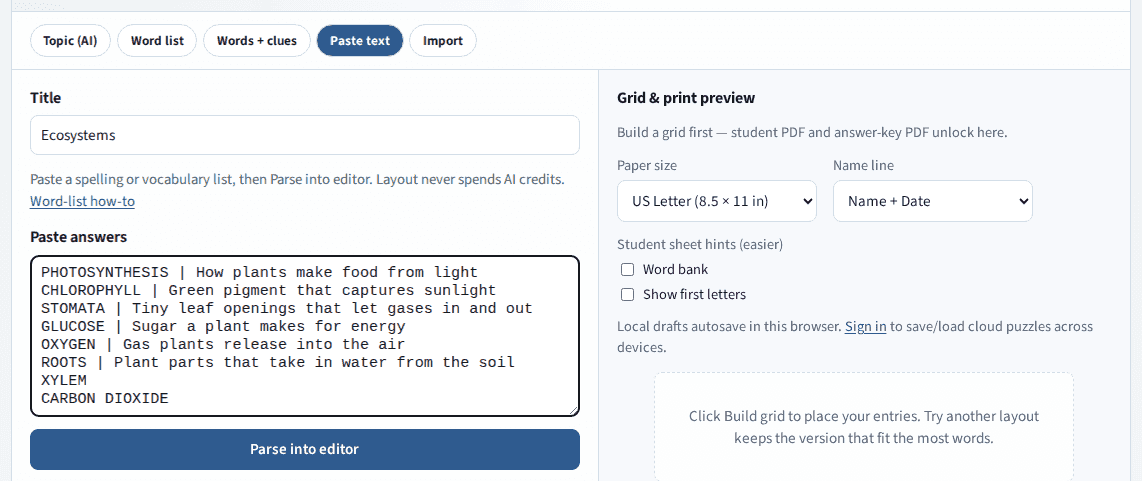
Open the word-list crossword maker and choose Paste text. Paste one
word per line. If you have definitions, put them after a bar, PHOTOSYNTHESIS | How plants make food from light,
or after a tab (handy when you copy two columns from a spreadsheet). Click Parse into editor.
Step 2 (minute 2): Fill any missing clues
Rows without a clue need one. Type them, or click Fill empty clues with AI: it drafts clues only for blank rows and never changes the answers you pasted. Read each AI clue; it is a draft, not a checked fact. (Free use includes about 3 AI operations per visitor per day. Typing clues yourself is unlimited.)
Step 3 (minute 3): Build the grid
Click Build grid. The status pill says how many words were placed, for example “12 of 12 words placed”. If one is missing, click Rebuild grid, or swap that word for one that shares more common letters.
Step 4 (minute 4): Set paper, name line, and support
Under the export buttons:
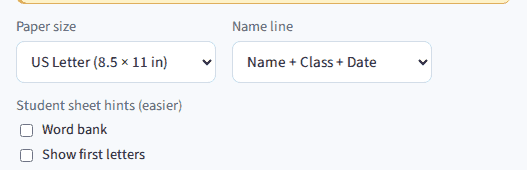
- Paper size: US Letter or A4, so the grid isn't shrunk to fit.
- Name line: Name + Class + Date makes collecting and sorting easy for the sub.
- Word bank: tick it for younger classes or a support group. Print a second copy without it for everyone else.
Step 5 (minute 5): Print both PDFs
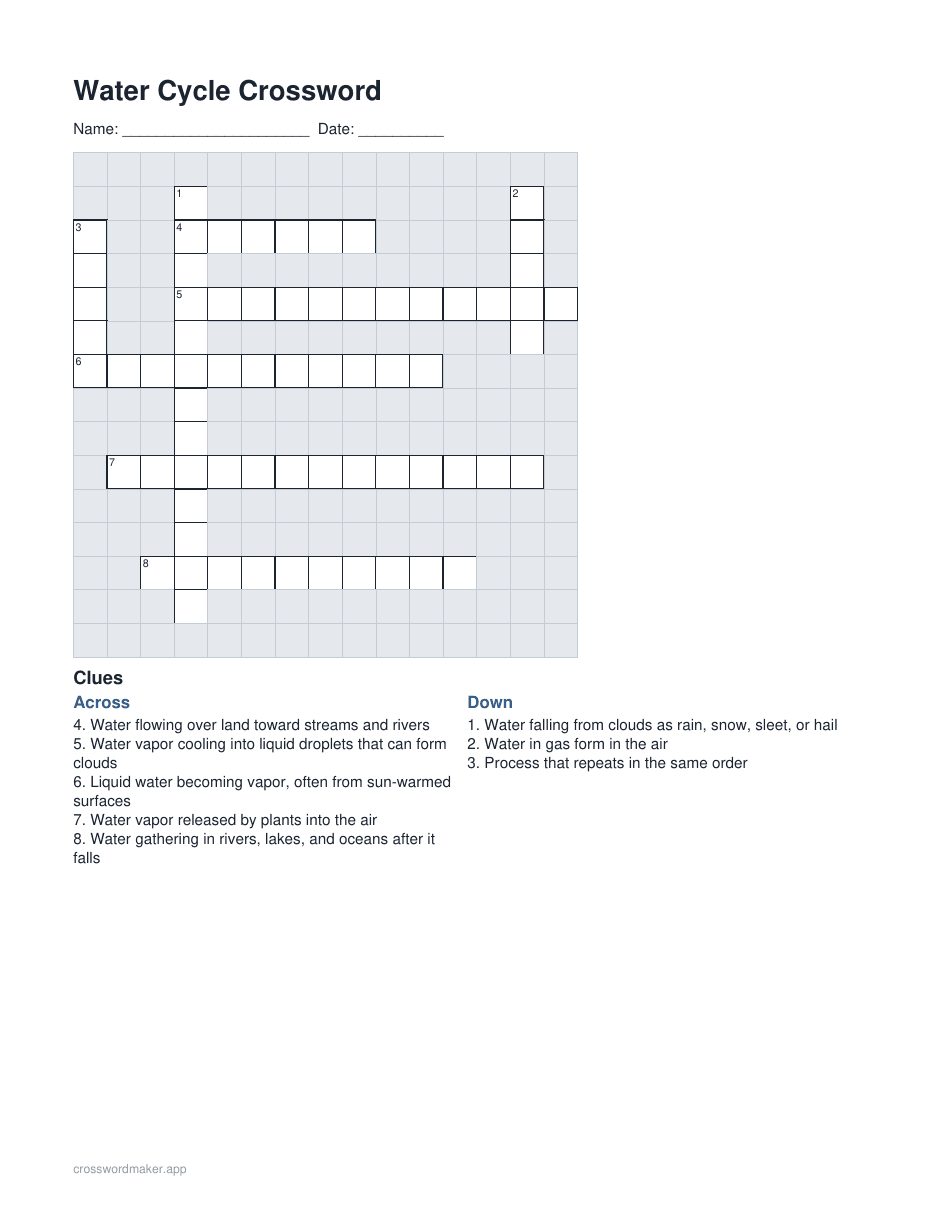
Click Export PDF for the student sheet and Answer key PDF for the key. They are separate files, so the key can go in the sub folder and never in the student stack. Free student PDFs carry a small vocabclues.com footer; the answer key has none.
Copy-and-paste note for the sub
Vocabulary crossword (20–25 minutes)
1. Hand out the crossword. Students work alone for 15 minutes, then check with a partner.
2. Allowed help: notes and the word wall. No phones.
3. Early finishers: write a sentence for 5 of the words on the back.
4. Collect all sheets. The answer key is in this folder, not for students.
No list ready? Use a finished example
Every example page downloads a student PDF and an answer key in one click:
- Science: simple machines, water cycle, ecosystems
- ELA: figurative language, 5th grade spelling words
- Any grade: classroom objects, plus the full examples library
Keep two or three printed in your sub folder before you need them. For a whole unit, an Activity Pack ($4.99) makes versions A, B, and C of one list so neighbors can't copy; see pricing.